
Translate text or speech2 min read
Translate meaning clearly
Move between Ewe and available languages, then adjust the wording for your audience.
Use it for
- Explain an English notice in your local language
- Prepare a message for someone who uses another language
- Understand an uploaded recording
Inside the app Enlarge
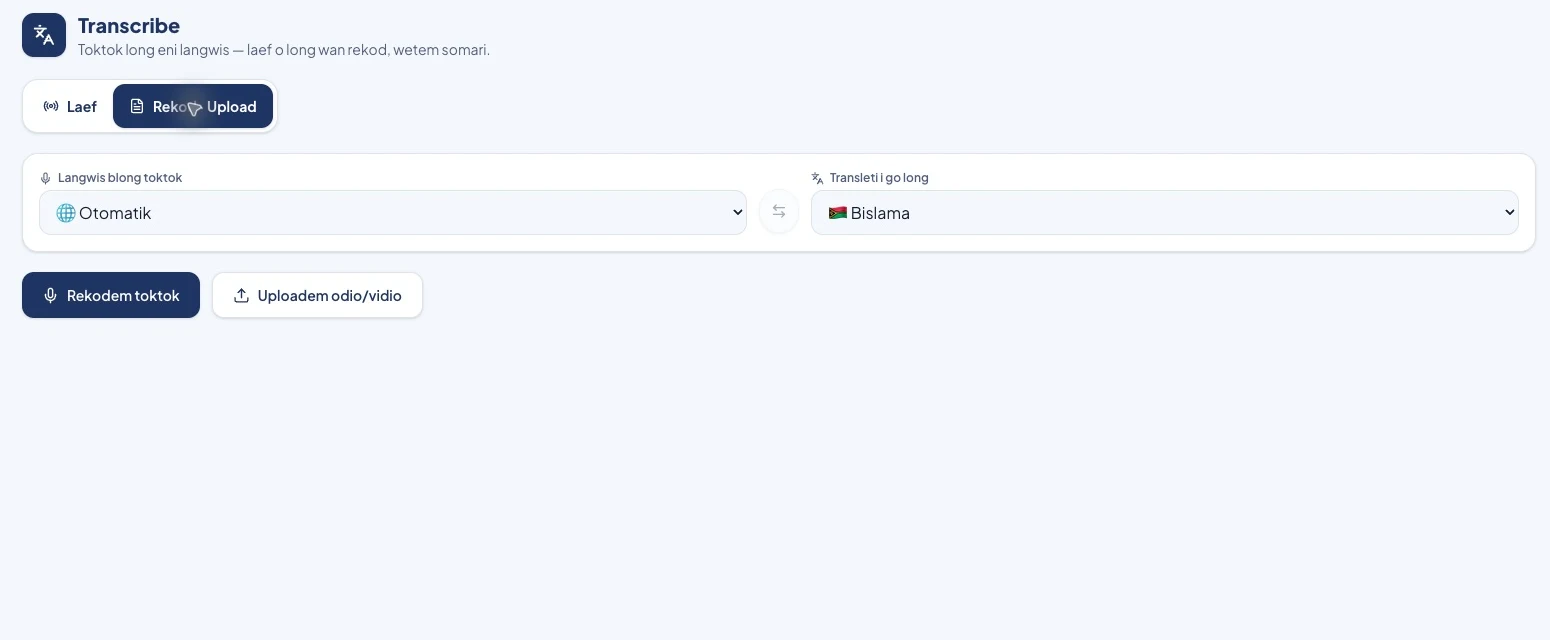
- 1Source language: what was spoken
- 2Target language: the translation you want
- 3Chat: refine tone and meaning
How to use it
- 1
Choose text or speech
For written text, paste it in Chat and name the target language. For audio, open Transcribe and set the spoken and target languages.
- 2
Preserve the meaning
Say whether you want everyday wording, a formal letter or a simplified explanation. Tell the assistant which names and terms must stay unchanged.
- 3
Check important details
Compare names, amounts, dates and instructions with the source. Ask a fluent speaker to review material you intend to publish.
Try a request like this
“Translate this notice into natural everyday Ewe. Keep the names and dates unchanged. Flag any phrase that could have more than one meaning.”
Adapt the names, dates and details before sending. Example requests do not run automatically.
Good to know
- Interface language and translation target are separate choices.
- Use a qualified human reviewer for legal, medical or other high-stakes material.